Demo Impressions Part 36
Featuring: A Storied Life: Tabitha, Dogpile, Frieda is Changing, Many Mini Typing Games, and Rope-kun Adventure
Will I ever run out of demo impressions to post? Maybe someday, but today, I have five more for you guys to check out. These are a mix of demos that released outside of and during a Steam Next Fest. As always, if any of these games still have demos up when posting I’ll mark them with a (*).
A Storied Life: Tabitha*
Out Now
This game was another one that I knew about and was waiting for the demo to come out. I…have a little bit of an obsession with cleaning or organizing games, but specific ones and this one seemed to have fit. It reminded me of Unpacking a little bit, but this time it’s reversed.
A Storied Life: Tabitha puts you in the shoes of someone that just had a recent loss in their family. One of your elderly relatives, which I honestly headcanon as your Grandmother, but that could just be a me thing, recently died. Since we don’t hear anything about any other relatives, and we are the protagonist, the task of clearing out her house has fallen onto you. Your relative has sent her blessing to not feel sorry about you discarding anything and even encourages you to sell some of her things. That was so nice of her encouraging you to take a vacation after clearing out her home. So, with some free days and a dozen boxes, you arrive to do just that. However, as you’re cleaning you find something interesting. An unpublished, handwritten memoir. Though, whoever put it under the coat rack was not thinking about the possibility of a wet umbrella coming along. The memoir got wet, washing away some key words, and you decide to repair it as you progress through clearing all the rooms.
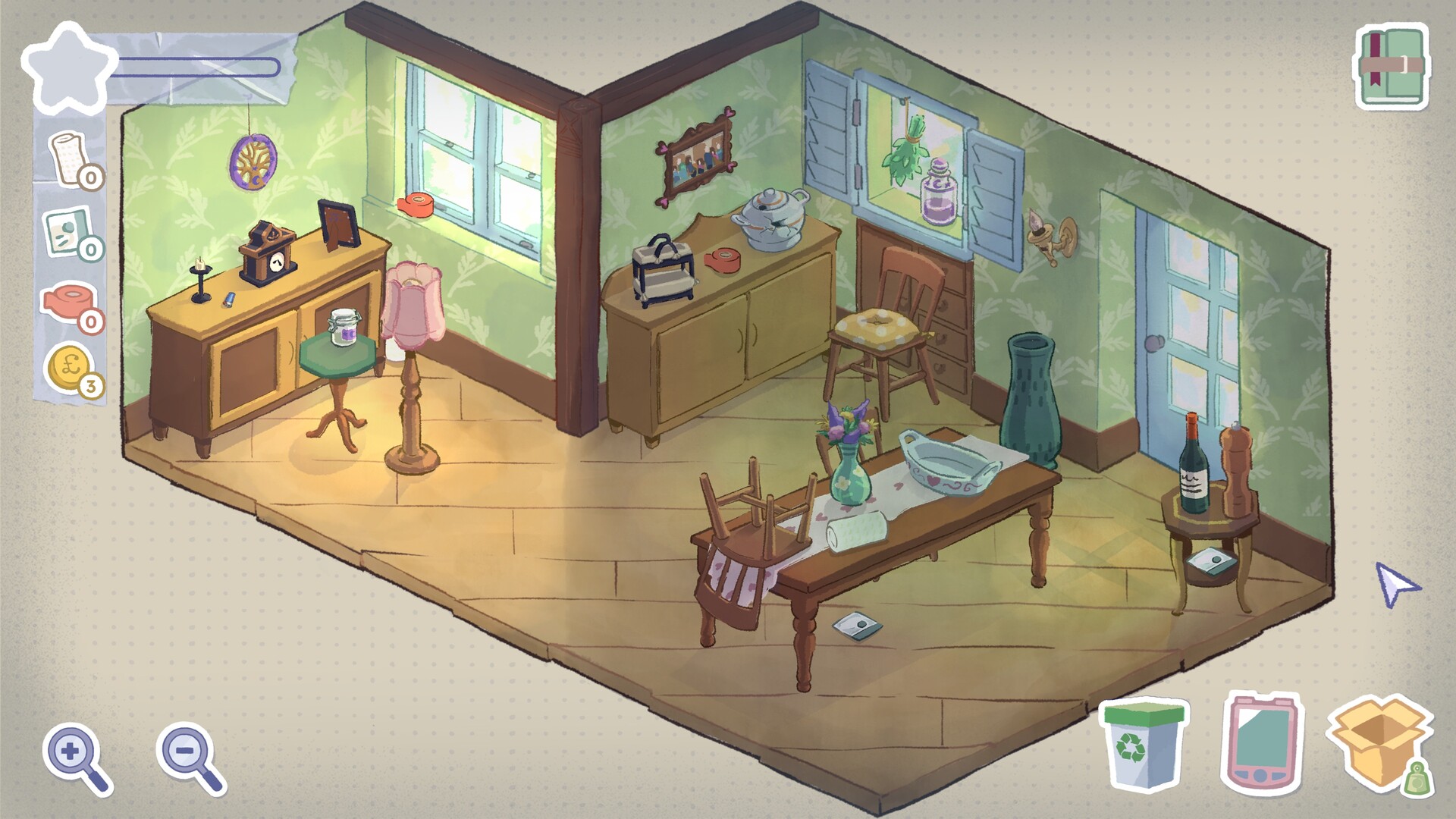
This demo only has two levels (or chapters), which have been altered a bit so you can see all the mechanics. The gameplay here is pretty easy, but it really gets you when you have to make some choices. Each level, aka room, will have a set of items laying around (not counting any furniture or big items like a walker). Hovering over items will tell you what it is along with a blurb about the item so you can get some more information about them that you can’t get from how the item looks or what the item is. There is also an icon that can be several colors, which I’m guessing might be how heavy the item is. There are also some furniture that you’ll have to move to be able to open cabinets or drawers. Anyway, you have to make a choice for each item here. You can either discard the item, set it aside to pack, or auction it off. All of these are pretty self explanatory. Discarding the item is you throwing the item away and auctioning off an item will let you gain some money once it sells at the end of the chapter. For any items that you want to keep, you can set it aside to pack until you’re ready to pack the box. This will take you to another screen where you’ll see the box and all the items you set aside. Each level or room has one box you can pack and each item varies in how big or heavy they are. Space is also visualized by grid squares for both the box that you have to fit the items into and the items which can vary in the amount of squares they are and the shape they are. This is where the hard decisions are as you can’t fit everything that you want to keep in the box so you have to pick the items you want the most. You have to weigh whether you want to take many small items, or take a big item that will limit you to only taking another item, maybe two other items, with you.
You will also find some resources, which are basically in the form of packaging items such as tape, bubble wrap, and shrink wrap. This will help you package the items that you want to keep: Tape reinforces the box so it won’t break open due to being too heavy; Bubble Wrap keeps delicate items from breaking; and Shrink Wrap makes things like cloth slightly smaller. You do also get some money that you can use to get more of these resources. I didn’t see that the words you get from items change based on how they’re packed and if they break until I was writing this demo impression, but yeah it seems one mechanic here is that some items have multiple word sets depending on the state the item is in when you go to fill in the memoir blanks.
Once you decide what to do with every item for the level, you’ll be able to finish it and go into the memoir part of the level. Every room pairs with a chapter of your loved one’s memoir. Each item you keep gets associated with four words, each color coded to go along with how they’re categorized. The memoir itself will have blank spots where the water smudged the words and those spots are also categorized and color coded. As you can guess, you can only put a word on a blank spot that matches its color. You can put the words you have in any spot you want, but you can only have that word once. Once you filled in all the blanks and like how it ended up, you can complete the level/chapter officially and that chapter will also get a little design on the chapter name page. This little design will also tell you how you altered that chapter, like you can turn a chapter to be about your loved one’s cat or implying that your loved one was keeping a secret of something illegal that she did. Whatever you put down is how she’ll be remembered assuming that this is leading up to you publishing this memoir.
I do have a few complaints. First is that when you’re on the screen where you’ll be packing the box, one of the options that pop up when you’re hovering over an item is “Put in Storage”. This actually means you’re discarding it rather than sending it to a storage unit. It is also unclear that you can only auction one item per chapter. I would have also liked it if you could see everything that you put in the discard pile rather than only being able to take out the top item. And lastly, it would be nice if, in a situation where two items are overlapping, you can temporarily place it or swap them so you don’t have to put down what you have and then organize.
So far I think it and it’s pretty interesting. It’ll be interesting to see what the other levels will have, the different memoir versions there are, and how the memoir will turn out overall. This definitely seems like a game you play more than once. I also liked the art style here. It kind of has that sketchbook feel to it while also giving off the feeling of warmth.
Dogpile
Out Now
It seems whenever a game gets majorly popular a bunch of other similar games comes flooding in. We saw it with Vampire Survivor, Rusty’s Retirement, Suika, and Balatro. Dogpile is one such game that evokes the familiar gameplay aspects of a popular game, but it does have a lot of aspects that set it apart. Dogpile asks what if we combine Suika and Balatro with some cute theming?
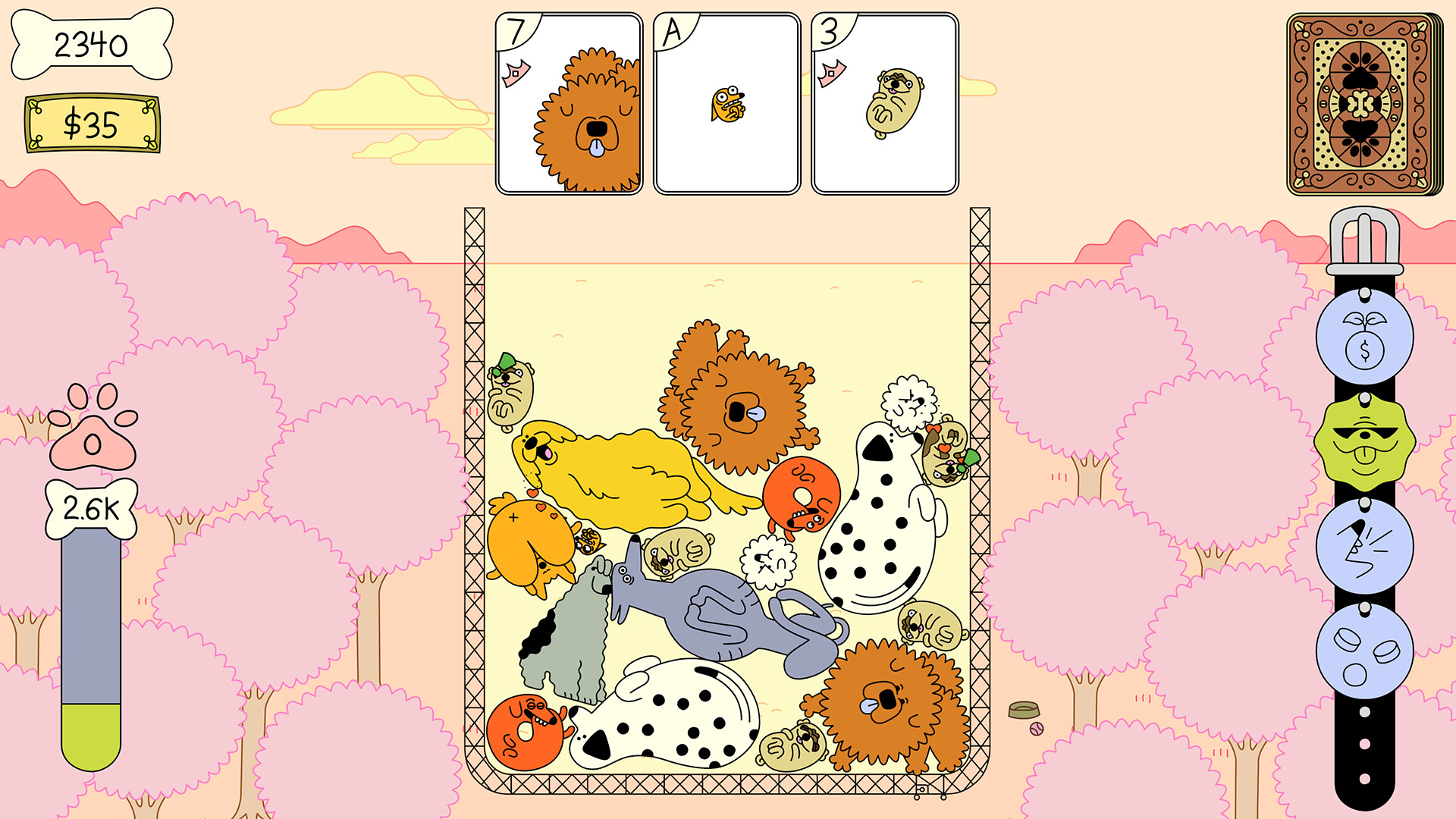
In Dogpile, you first start a run by choosing your starting deck before heading to your yard. The demo includes only one deck, but it looks like the full game will have five (assume the demo deck will be the starter deck). Just like in Suika-like games, you’ll be dropping various dogs down a container (which here is visualized as a yard you’re looking at from a top-down view) and merging them with the same type of dog to make the dog in the next tier up. And hopefully, you’ll be dropping them down strategically as the game ends if a dog is past the fill line for too long. You can also push dogs with the dogs you drop, but it may not go as you planned. However, there are several twists here. For one, this is a deckbuilder card game. What does this mean? Well, instead of randomly getting a dog one by one to drop, you draw cards that have dogs and other items instead. You draw a couple cards and you can drop (or use) them in any order you want. I didn’t notice this until right as I was writing, but the card also has a value on the card that also represents their merge tier. When two dogs of the same tier merges, they’ll not only transform into the dog up a tier, but will grant you money and bones.
First up, money. Your cards won’t just be dogs. You also have a shop card that will allow you to visit a shop when you use it (which is by “dropping” it, don’t worry it disappears afterwards) and here you’ll be able to buy more cards or tags. These cards can be other dogs or items. As you discover more dogs by merging, you can buy those higher tiered dogs in the store (of course costing more) and items can help you out as you drop them to apply them to the dogs already in the yard. Oh, and I should mention that dogs can also have traits that will also affect how they act in the yard. Like dogs with the barky trait will push other dogs away, the miniature trait makes the dog smaller than normal, or the cool trait which just gives the dog sick shades. There are good and bad traits and a dog can have multiple. These traits disappear when you merge, but you can have them stick around. How? Well, you can also buy tags which persist all throughout the run. You see, there’s a collar on the right of the screen and while it just seems like it’s just going with the dog theme, it’s actually to hold the tags which gives you a nice bonus. Tags can range from letting traits persist through merge or drawing an extra card after shuffling. You can only have five tags at a time. Oh and I almost forgot about items, which can help you out by leasing your dog back into your hand or giving a dog a trait.
Now let’s talk about bones. The higher tiered dogs that you merge, the more bones you get on that merge. Bones are just as important as you have a goal that you’ll be tasked to reach after so many hands. If you do, you’ll be able to go to The Dog Wash where the game will randomly select three dog cards and three upgrades. It’s a bit confusing here as other games just lets you upgrade one card, but here it’s all three. You’ll get two combs, which will give the dogs a trait, and one tool which seems to either be scissors to “trim” those dog cards out of your deck or a bow which will upgrade those cards to the next tier. However, if you don’t reach the goal, you’ll be sent to The Doghouse. The Doghouse makes you choose a discipline card which can really hurt you. This can range from making you take foster dogs (single use cards) to crating dogs which stops them from merging for a couple turns. You don’t want to go to The Doghouse too much as it can screw you over. I didn’t notice this until writing too, but the hand that’s holding the bone that has your goal also doubles as a way for you to know how many hands you have left without having to hover over it. What a nice touch.
So yeah, you just continue playing until a dog is above the fill line for too long and you fail. It does also seem that the game gets harder the longer you’re playing as the bones goal increases and you’ll get a card that will force you to spawn a rock.
I didn’t really expect to like Dogpile as much as I did. I started not being that into it, but it slowly grew on me as I played more. The game is challenging and fun, not to mention cute. I really liked the theming of this being dogs and how far the developers went with that theme. Oh, and did I mention you can change the color palette AND the collar? You can! I rocked the collar where the clasp was a heart. The dogs also have some cute little animations and you can pet them. I also love the little nice touches with the visuals that add to the game design. I think the only complaint I had was that I wished there was that visual merge guide that other Suika-like titles have.
Frieda is Changing*
I’m honestly not really sure why this one ended up on my demos to play list, but hey all that matters is that it did. Plus, I did give it a chance when going through the list to actually download and play the demos. The screenshots featured on the games store page is messy to say the least, but it still intrigued me. I’m glad I ended up playing this demo as it does seem like the artwork has been updated since those screenshots and it actually turned out to be pretty interesting.
Frieda is Changing joins a young woman named Frieda who has just turned 14. However, what should be a day for celebrating her birthday turns into a day full of angst. You see, Frieda has a sister named Amelie who went missing sometimes before the game started. Frieda and her family are still grieving, all three of them in their own way, and while her parents and the town decided that her sister is dead, Frieda thinks differently. Frieda still thinks that Amelie is still alive and she will get to the bottom of what really happened to Amelie. Well, if there’s any time to use your “daughter of the mayor” card, it’s now.
Gameplay here is pretty simple. Frieda is Changing is a simple point and click adventure where you click around to walk around, inspect items, and interact with items to pick up or use for puzzles. There isn’t much of a puzzle in the demo, but it’s easy enough to progress and I do like how there’s not like five different ways to interact with things. Then there’s the cutscenes, which are in the style of comic books as they’re split into panels and the dialogue follows the same rules. Which actually tracks considering Frieda is said to like drawing comics and the sound effect for dialogue is one that sounds like someone is drawing it out.
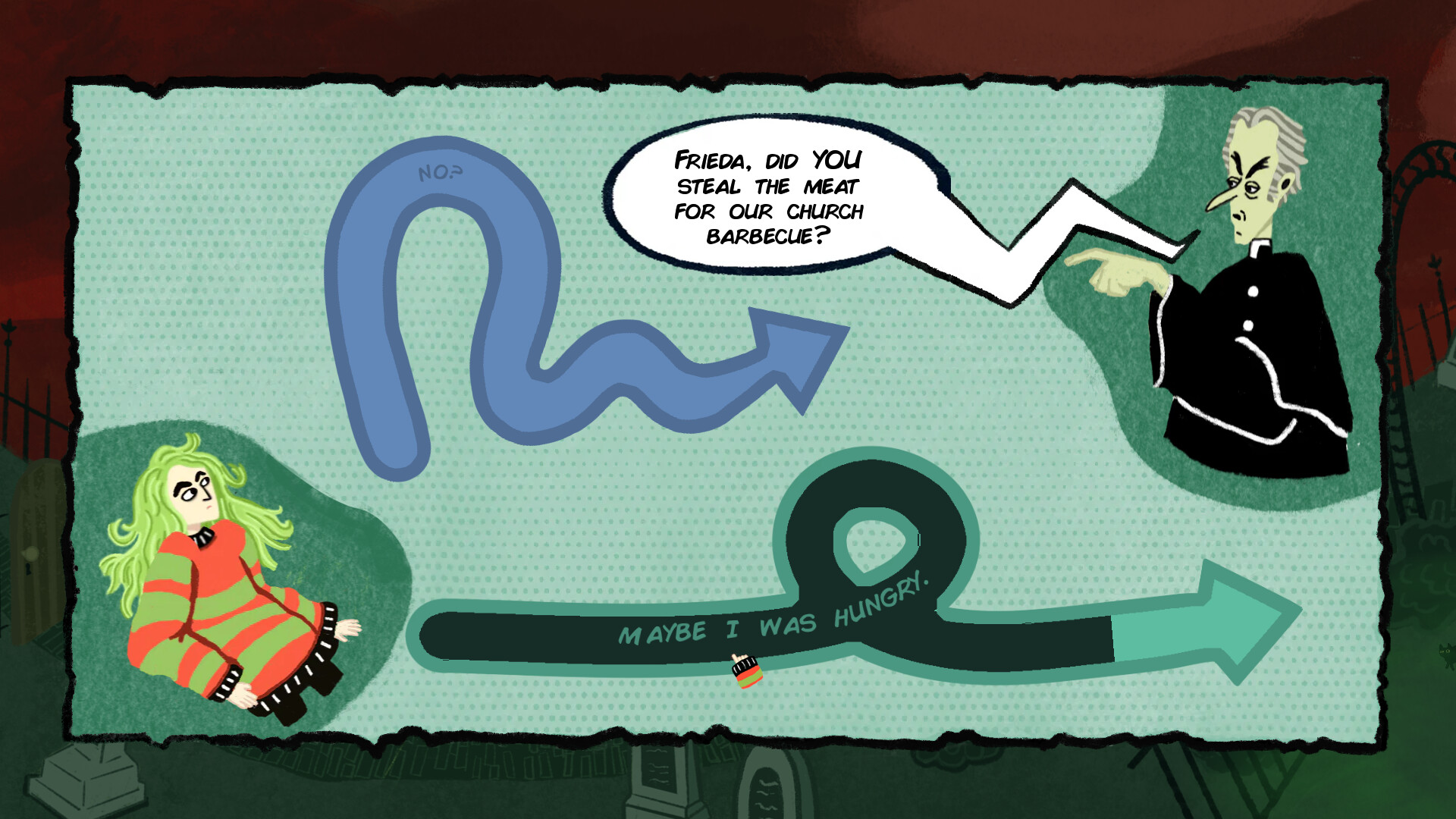
Though, what’s interesting is how dialogue choices are handled. Instead of the classic way of picking dialogue, you instead have arrows that vary in how they’re drawn based on the emotion behind it. Like an emotionally charged, angry response will be a spikey arrow. When you’re looking at both arrows, they only show part of the response, between one and three words, but selecting them will slowly fill it up, unveiling some more of how Frieda will respond. There is enough time for you to deselect and change your choice if you wish as Frieda won’t say it unless the arrow is filled up all the way. I’d say the choices represent what Frieda says really well (it certainly helps that it often is included in what Frieda actually says when you pick it too). You also have action choices, which split the screen and you just have to choose which one you want to do.
The demo is just the prologue, but it does give you a taste of what to expect for the rest of the game. I didn’t expect to like Frieda is Changing. It’s weird, but interesting and I do want to find out what happens next. Plus, I ended up liking the art style and the comic book cutscenes.
Many Mini Typing Games
Out Now
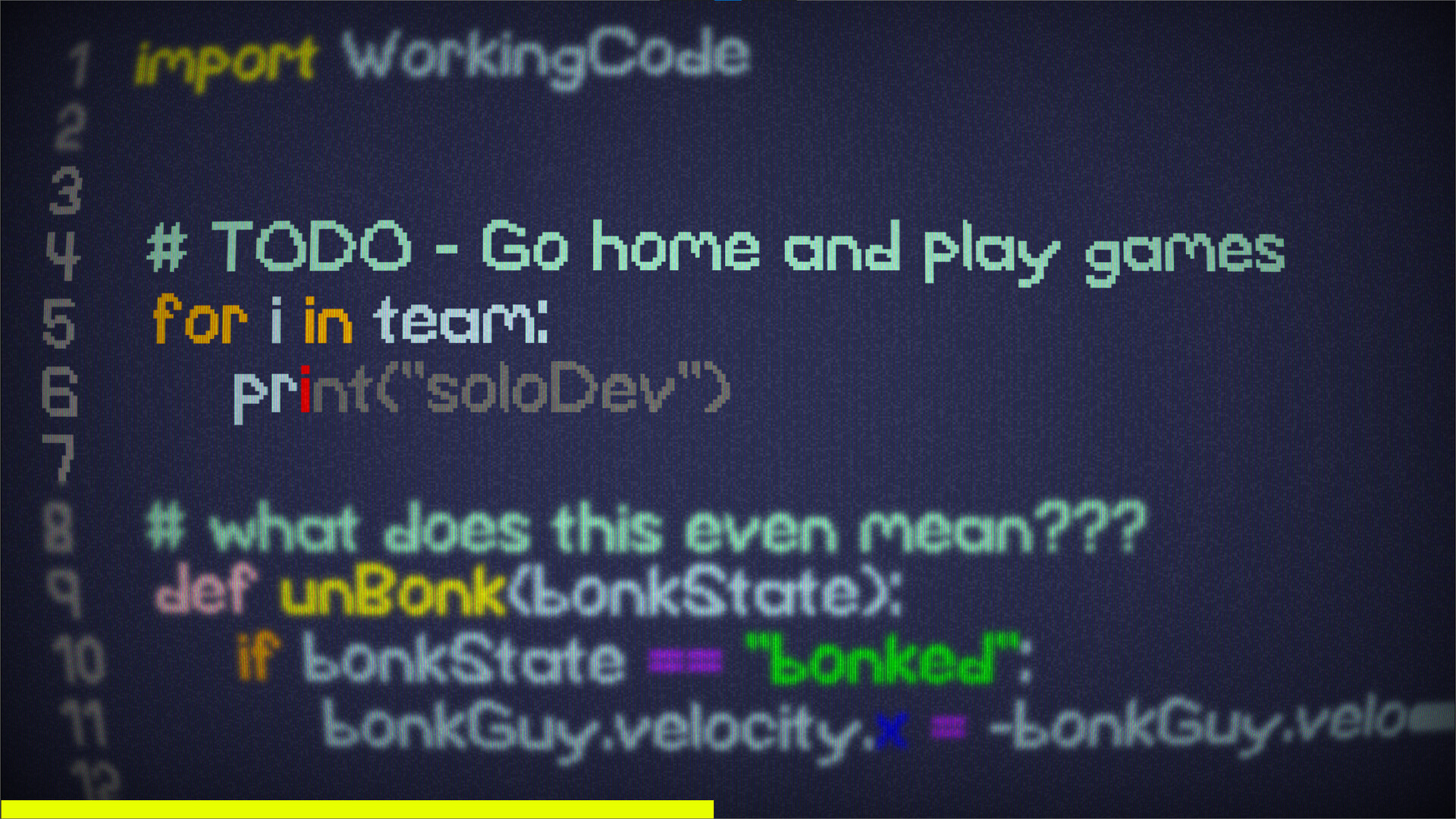
Basically if WarioWare was filled with typing minigames, but took on a more modern theme with mostly realistic visual look and playing into memes just a bit. Need I say more?
Once you get into the swing of things, this one is pretty good. If you like typing games and like games that are a collection of quick microgames that challenge you to do as many as you can in a row under a time limit like WarioWare, you’d probably like this one. While you’ll obviously be typing the whole time, rather than going between various control types, it does mix things up by how you do it and how the visuals play into it. Which is interesting. Like there’s one microgame where a ghost is trying to communicate with you and you have to mentally mirror the sentence and type it out. There’s some that are case sensitive or has the character on the screen move. Or the one that is my personal favorite where you stub your toe and you type a curse…but it’s a grawlixes type swear. Hard, but funny.
Rope-kun Adventure*
Out Now
An advantage to playing and absolutely loving the Pokemon Ranger spin-off games as a kid is that the games that kind of seem similar pop out to you. Rope-kun Adventure was one of those and while yeah this is most likely not inspired by Pokemon Rangers, it’s close enough that it got me to put it on my list of demos to try out. And man, am I glad I did.
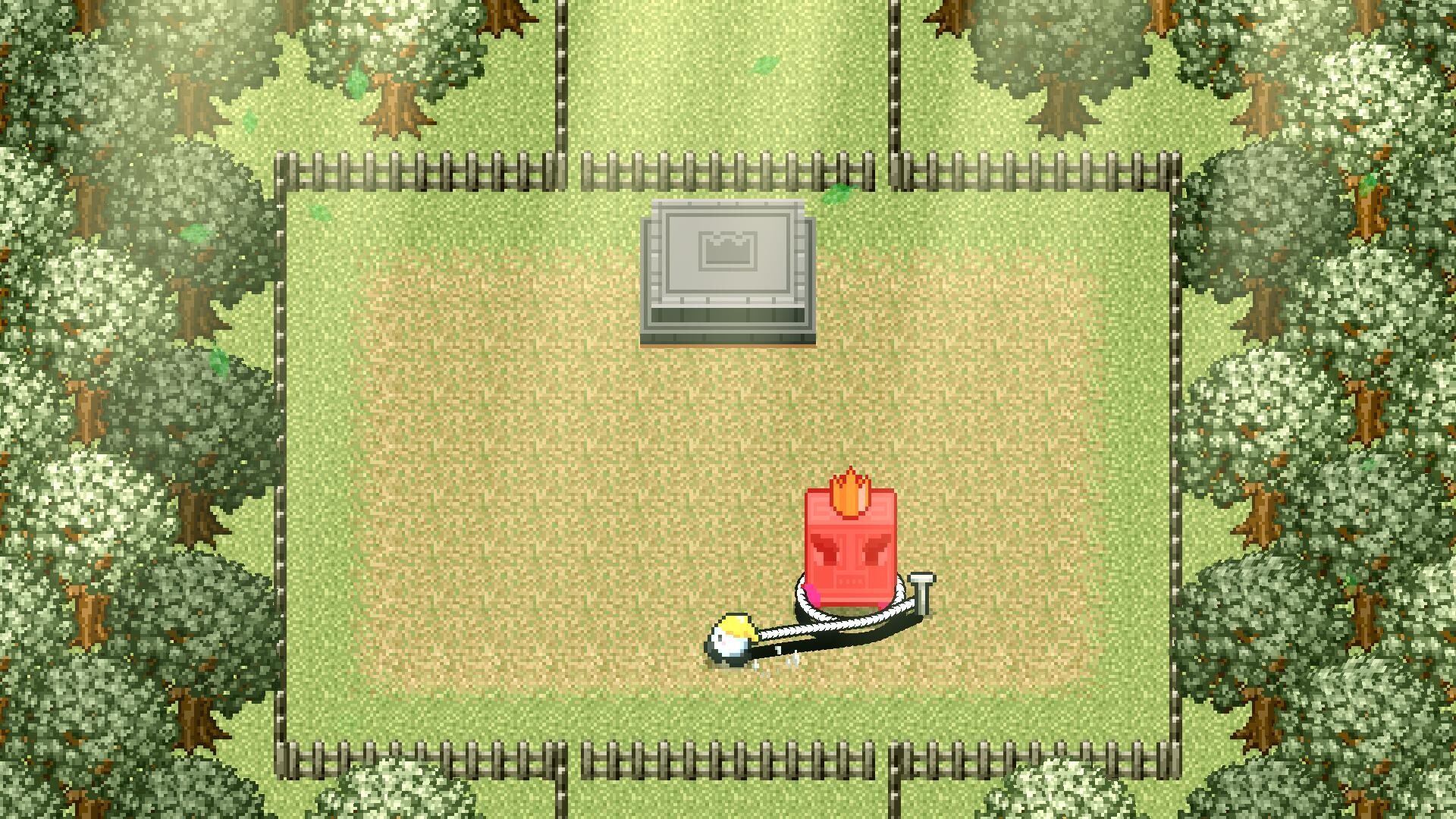
Rope-kun Adventure starts as the titular Rope-kun is leaving to go on a date with Rope-chan. However, as he’s going to their meeting spot, he sees that she’s not only not there, but also there’s a letter. It turns out that Rope-chan has been kidnapped by none other than Villain Rectan and Rope-kun of course heads home to grab his rope and sets out to rescue her. This game is level based, with levels grouped up into worlds, where you’ll be able to view it from a top-down view. Each level will ask you to do a puzzle, defeat some enemies, or maybe even a combination of both. However, unlike other games, you have your trusty rope. The rope’s length will vary between levels, but all you need to know is that you can do everything with just the rope. All you have to do is put a stake down so you can walk away with the rope trailing behind you. This lets you use the two pressure plate locks just by yourself, press against multiple pins in the ground that need to activate to open up the gate, and even defeat enemies by wrapping it around them and squeezing the life out of them. Of course, the rope length can get in the way as you have to figure out how to complete a puzzle without running out of rope and there’s even going to be hazards like fire that will light your rope on fire. For enemies, you have to try and put your stake down and quickly wrapping it around them before they walk too far away and before you run out of rope. Plus, try not to run into them and get hit if you’re playing on the mode that has enemies dealing damage to you.
This demo only is over the first world, which serves as the tutorial world, and man is this demo so short. I ended up enjoying the gameplay here more than I thought and so far, the game does have a good balance of being easy, but not too easy. We’ll also be getting two more rope types and various different use situations based on the trailers and screenshots on the Steam page, with one even teasing how we’ll be using the rope catching on fire to our advantage. I also do want to mention how the story we got in the beginning has a kind of nostalgic feel to it. Like how older games on the DS used to frame their games. Anyway, yeah, I liked Rope-Kun Adventure and I’ll be looking forward to playing the full game.





Recent Comments